


Purchase Request
Did you know you can ask the library to buy a book?
If you’re looking for a book we don’t carry or need more copies of a popular title, you can submit a purchase request. It’s quick and easy, and we’ll let you know when it’s available.
1. Check if the book is available at the UPV
Go to Polibuscador, log in and search for the title.
Not listed in the catalog → Go to Step 2.
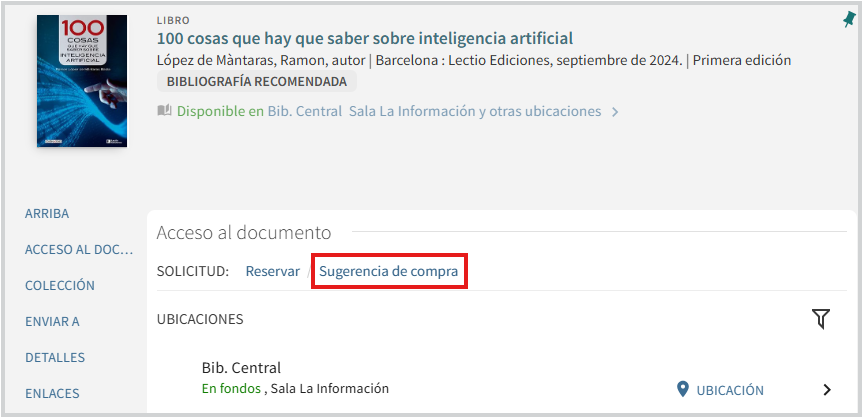
If it appears in the catalog → you can order more copies from the book’s page.
2. Submit your purchase suggestion
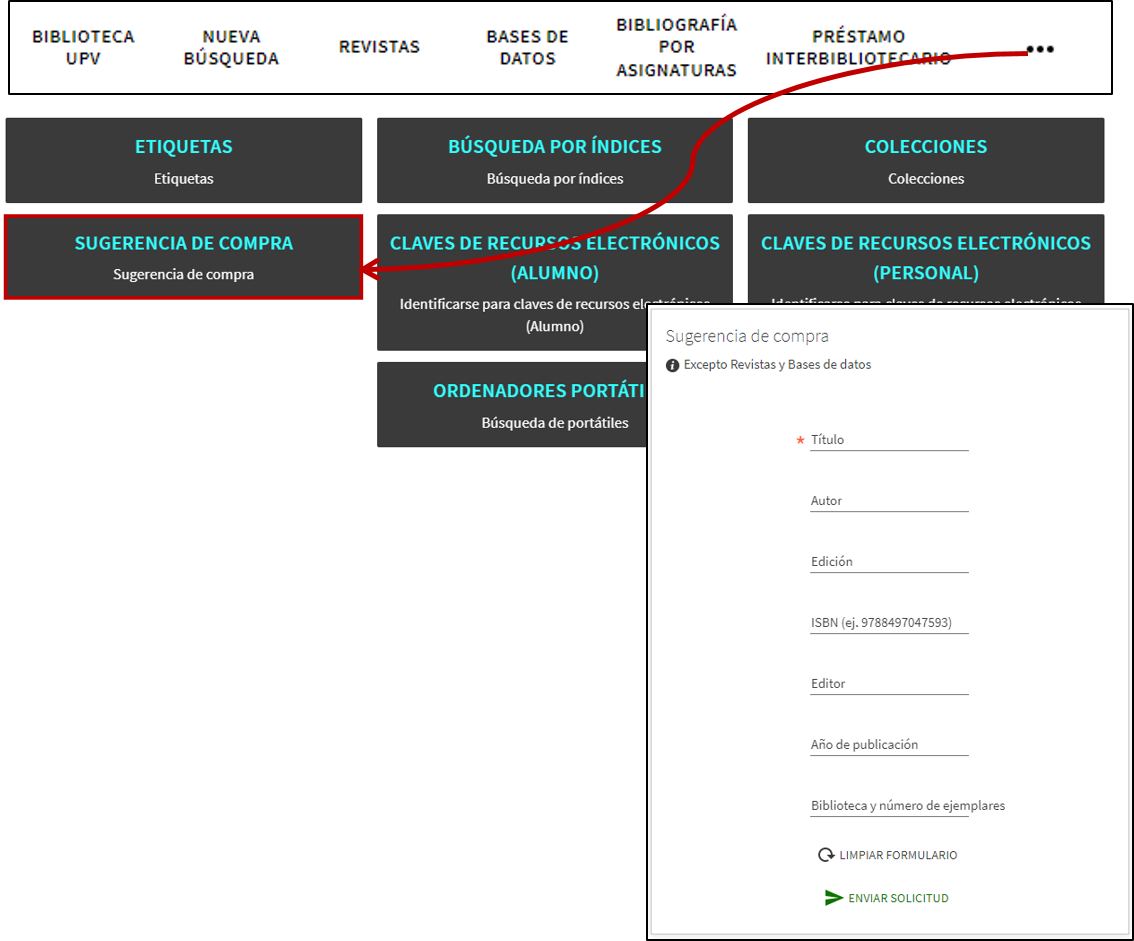
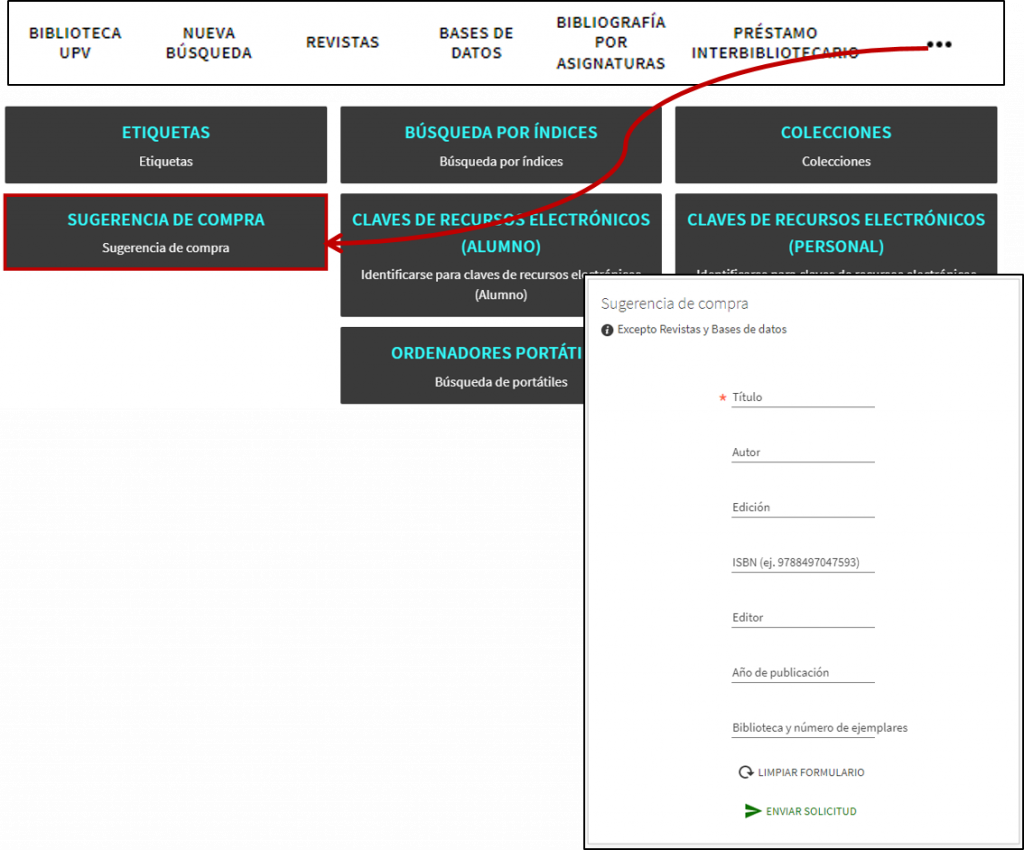
Go to Polibuscador > Shopping Tip, log in and fill out the form with all the information you have about the book.
If that title is already in the library’s collection, PoliBuscador will notify you before you submit the request.
3. What does the library do with your request?
We’ll review your request and decide whether to purchase the book. If we do, we’ll reserve it for you as soon as it arrives and email you so you can come and pick it up.

If you’re looking for a title that we don’t have in the library, or if you think we have too few copies of a popular book, you can submit a purchase request to the library.
If we don’t have the book at the UPV
Go to PolySearch > Shopping Tip, please provide your identification and as much information as possible, and we will review your request.
If we already have the book at the UPV
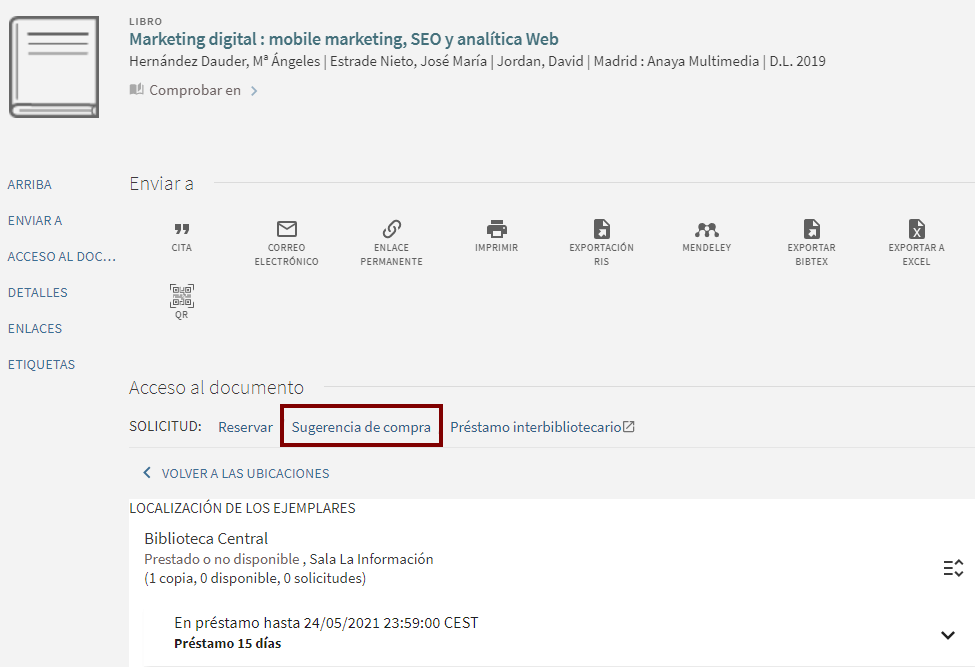
Go to Polibuscador, search for the title you want to see more copies of, log in, and select the “Purchase Suggestion” option:
Remember
- To submit requests, you must be logged in.
- When you click “Submit Request,” we’ll let you know if that title is already in the catalog so you can review it before submitting your purchase suggestion.
- The library’s Acquisitions Department will evaluate the relevance of the request before authorizing the purchase.
- The book you requested will be automatically reserved for you when it becomes available at the library.

If the book isn’t at the UPV
Go to PolySearch > Shopping Tip, please log in and fill out the form with all the information you have. We will review your request.

If the book is indeed at the UPV
Search for the title in PoliBuscador, log in and select “Shopping Tip” to order more copies.